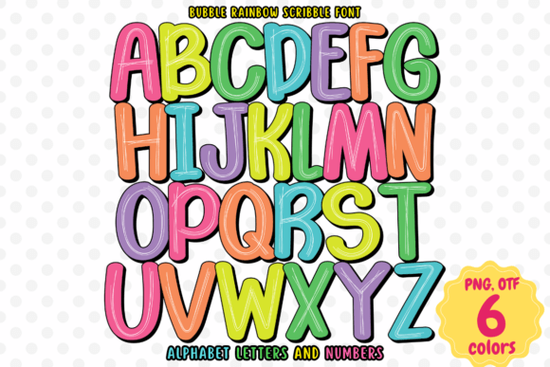
If you’ve been searching for a font that feels like a burst of joy on the page, the Bubble Rainbow Scribble Font might be exactly what your next project needs. Designed with hand-drawn charm and layered in full rainbow color, it’s not your average typeface it’s a playful, expressive tool that brings energy to everything from birthday invites to kids’ book illustrations.
Unlike standard fonts that rely on solid outlines or basic fills, this one uses OpenType-SVG technology to embed actual color right into each letter. That means when you type “Happy Birthday!” in Bubble Rainbow Scribble, you don’t just get black letters you get squiggly, bubbly characters already painted in vibrant reds, oranges, yellows, greens, blues, and purples. No extra work. No manual coloring. Just instant whimsy.
Who is this font best for?
This font shines in projects where fun, warmth, and approachability matter most:
- Children’s content creators think storybooks, activity sheets, or classroom posters.
- Party planners and invitation designers looking to add personality without complex graphics.
- Print-on-demand sellers crafting mugs, T-shirts, or wall art with cheerful messaging.
- Small business owners designing social media graphics, packaging labels, or seasonal promotions with a handmade feel.
Because it’s a handwritten-style font with irregular edges and overlapping strokes, it avoids feeling sterile or corporate. Instead, it reads as friendly and spontaneous like something scribbled by a joyful kid (but with professional polish).
How do I actually use it?
Since Bubble Rainbow Scribble is a color font (OpenType-SVG), compatibility matters. It works beautifully in:
- Adobe Photoshop (CC 2017 or newer)
- Adobe Illustrator (CC 2018 or newer)
- Inkscape (version 1.0+ with SVG font support enabled)
- Silhouette Studio (Designer Edition or higher)
However, it’s important to note: the OTF/TTF files included are not compatible with Cricut Design Space. If you’re a Cricut user hoping to cut this design, you’ll need to convert the text to outlines in a compatible program first, then import the vector shape. For a step-by-step walkthrough, Creative Fabrica’s guide to using colorful fonts covers setup tips across different software.
What makes it different from other “fun” fonts?
Many playful fonts mimic handwriting but stay monochrome, leaving you to add color manually. Others offer rainbow effects through layered files requiring you to align multiple text boxes perfectly. Bubble Rainbow Scribble skips all that. Each character is a single, self-contained unit of color and texture. Type your phrase, and it’s instantly ready to go.
The scribble effect adds subtle variation too no two “O”s look exactly alike, which enhances the organic, hand-crafted vibe. This slight imperfection is intentional and helps avoid the robotic uniformity of digital type.
If you're exploring similar styles, you might also enjoy browsing other options like Bubble Rainbow Scribble on Creative Fabrica’s marketplace, where you’ll find dozens of color fonts tailored for crafters and designers.
Tips for getting the best results
- Use generous spacing. Because the letters have thick, bubbly shapes with overlapping scribbles, tight kerning can make words feel cluttered. Add a bit of letter-spacing for clarity.
- Pair it wisely. This font stands out best when paired with simple, clean sans-serifs (like Montserrat or Lato) for body text or captions. Avoid pairing it with other decorative fonts.
- Keep backgrounds light. The rainbow colors pop most against white or pastel backdrops. Dark backgrounds can mute the vibrancy unless you adjust layer blending modes in Photoshop or Illustrator.
- Test print quality. While screen previews look vivid, always do a small print test if using for physical products some printers may not fully render SVG color data without proper settings.
Whether you’re designing a unicorn-themed birthday invite or a motivational quote poster for a nursery, Bubble Rainbow Scribble adds instant cheer without demanding extra design time. It’s the kind of font that makes viewers smile before they even read the words.
Before you download, double-check:
- Your design software supports OpenType-SVG color fonts.
- You’re not planning to use it directly in Cricut Design Space (unless converting to paths first).
- Your project benefits from bold, colorful, informal typography not minimalist or formal layouts.
- You’ve reviewed the license terms for commercial use if selling end products.
When used thoughtfully, this font isn’t just decoration it’s emotional tone in typographic form.
Learn More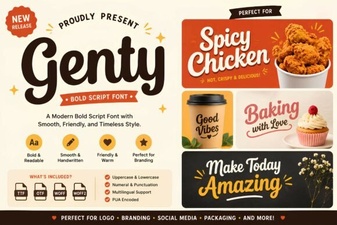 The Genty Font: Modern Design for Creative Projects
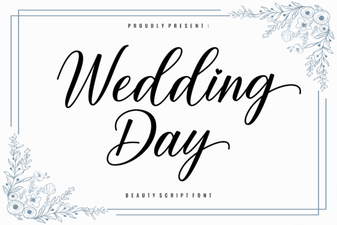 Stylish Fonts for a Perfect Wedding Day Design
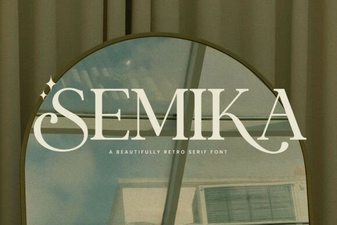 Semika Font: a Designer's Creative Toolkit
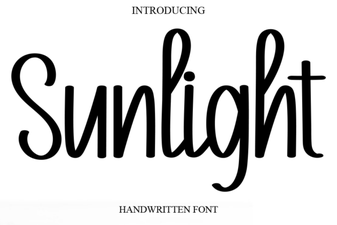 Sunlight Font: Design Projects & Creative Uses
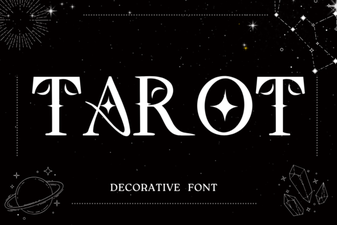 Creative Tarot Fonts for Design & Inspiration
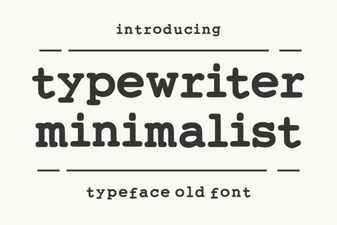 Modern Typewriter Fonts for Creative Design